
Overview:
Basic instruments (small percussion instruments or recorders) can be used by students to create preliminary compositions, set moods, a multi-sensory experience, and a hands-on means of increasing literacy skills. These fundamental tools are extensions of the student’s ability to be musically expressive. More advanced tools now available through technology are also available to expand teachers’ options in the music classroom. The best use of music technology is to enhance the curriculum rather than using it for its own sake. When used in intelligent ways, technology can be used to inspire students to want to learn, to teach students new skills, and to help them practice and improve.
Objectives:
Students will be able to:
- Summarize the rationale for incorporating instruments into elementary music lessons,
- Identify guidelines for using instruments and technology,
- Classify different types of age-appropriate instruments for classroom use,
- Describe teaching strategies for using instruments,
- Describe teaching strategies for using technology, and
- Summarize the rationale for using technology as a teaching tool.
How Can Technology Help Me Become a More Efficient Teacher?
The Internet is an important resource for any educator with its seemingly endless array of information available for teachers and students. Published web sites provide research, music instruction, and music games. Teachers may use Internet sites for presentations to the whole class, assign individual or group Internet research projects, or refer students to Internet drill-and-practice sites or virtual learning centers. These guidelines are useful in selecting materials appropriate for Internet instruction.
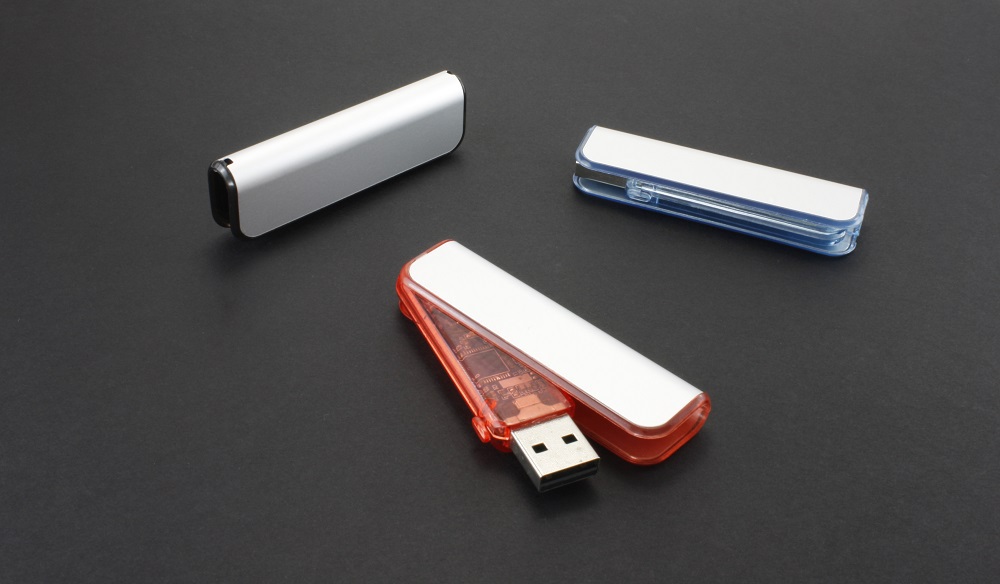
With increasing numbers of lesson plans and files, teachers need to be able to transport materials to and from school. Flash drives, also known as thumb drives, memory sticks, and jump drives , enable teachers to transport and transfer files, such as documents, pictures, and videos, from one computer to another. Equipped with USB (Universal Serial Bus) interface, flash drives are removable and rewritable, inexpensive, and capable of storing several gigabytes (GB) of data. The drive draws power from the computer and has no moving parts. Files on a flash drive can be accessed thousands of times and data stored on the drive is is not affected by magnetic fields, scratches, dust, or physical shock. They are designed to be unbreakable and will retain memory after being submerged in water or run through a washing machine. The flash drive can fail suddenly after extended use and is prone to damage since it sticks out of the computer port; however, the portability makes the drive very useful for classroom use. Teachers can easily transport lesson plans, sound and video files, presentations, and classroom activities from workstation computers and students can use flash drives to turn in homework assignments, and practice recordings.
External hard disk drives can store much larger amounts of data files and have become widely available and inexpensive. These are also equipped with USB ports for fast interface with a computer. Many teachers use an external hard disk drive to store teaching files and materials to back-up computer files. While they are larger and heavier than flash drives, they can be more cost effective per gigabyte(GB). The drive is more prone to damage from a fall, vibrations, high altitude and strong magnetic fields.
A server is a storage system that "serves" or delivers a service by running computer programs to send e-mail, run applications, access files, print documents, and more. Several servers (computers) can act as a network and run over the Internet, local area network (LAN), or wide area network (WAN) to perform tasks from anywhere in the world. Commonly referred to as "the cloud", individuals or companies can set-up accounts to receive permission to access the server network by logging-in and using the applications or services without installing large amounts of software on a personal computer. Cloud services are offered by a variety of companies; some are fee-based and others are free depending on the amount of storage needed by the user. Files are password protected and users can designate with whom files can be shared. Teachers can upload large amounts of data and files onto a cloud account for later use, thereby foregoing any additional hardware or software, as long as Internet access is possible from a computer or mobile device.